Certified Visual Fidelity for Regulated Documentation
💡 Problem: Layout Drift
Standard PDF generators rely on automatic reflow. A minor font update or CSS tweak can shift critical warnings, split tables across pages, or break regulatory formatting. In aerospace, defense, and pharma, layout drift isn't just an annoyance—it’s a compliance failure.
✅ Solution: Deterministic Rendering
The only solution that synchronizes Typographic and Raster logic to achieve scaling parity. No drift; No ghost pages; No excuses.
Tested to match the PDF on every browser be they Blink, Gecko, or Webkit based and across all operating systems and monitor resolutions.
🏭 Built for the strictest standards
- Aerospace & Defense - Perfect for S1000D and DITA workflows where IETP consistency is mandatory.
- Pharma & Medical - Ensures 21 CFR Part 11 compliance with unchangeable, validated output.
- Legal & Finance - Guarantees that contracts and reports never shift a single pixel after approval.
🧬 Design time linter
A single line of code integrates our real-time linter:
<script src="https://wkgtk-html2pdf.com/templates/overflow-monitor-pedantic.js"></script>It actively monitors your document for compliance, instantly flagging issues by changing the border colour and providing a popup list of non complaint values.
- Layout Integrity - Detects any content overflow that would be cropped in the final PDF.
-
Unit Enforcement - Ensures all
ptvalues are floored and bans non-deterministic units (px, em, rem) and unitless values (e.g.line-height: 1.5). - Font Fidelity - Font Fidelity: Uses canvas-based comparison to verify your specified fonts are rendering correctly, not just loading.
- Style Sheet Access - Proactively checks both linked and inline styles, warning of any CORS issues that would prevent rule inspection.
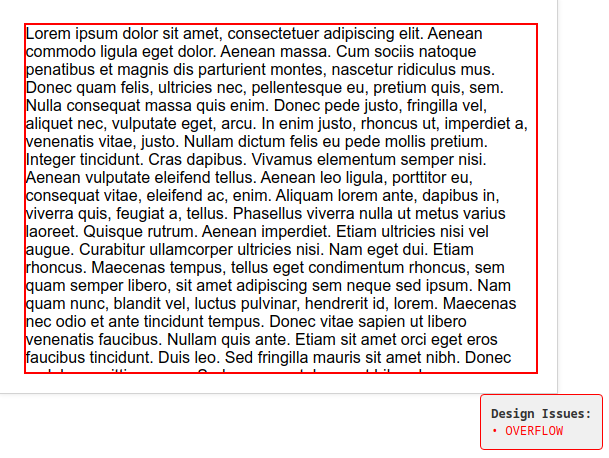
It’s not just a validator; it’s a real-time guardrail for deterministic output.
🔬 Proven Parity: The Calibration Test
In regulated industries, you need to know if layout drift comes from your CSS or the rendering engine. Our Calibration Tester provides irrefutable proof of engine stability.
- The Test - Generates a synchronized, timestamped 150-page HTML document and 150-page PDF.
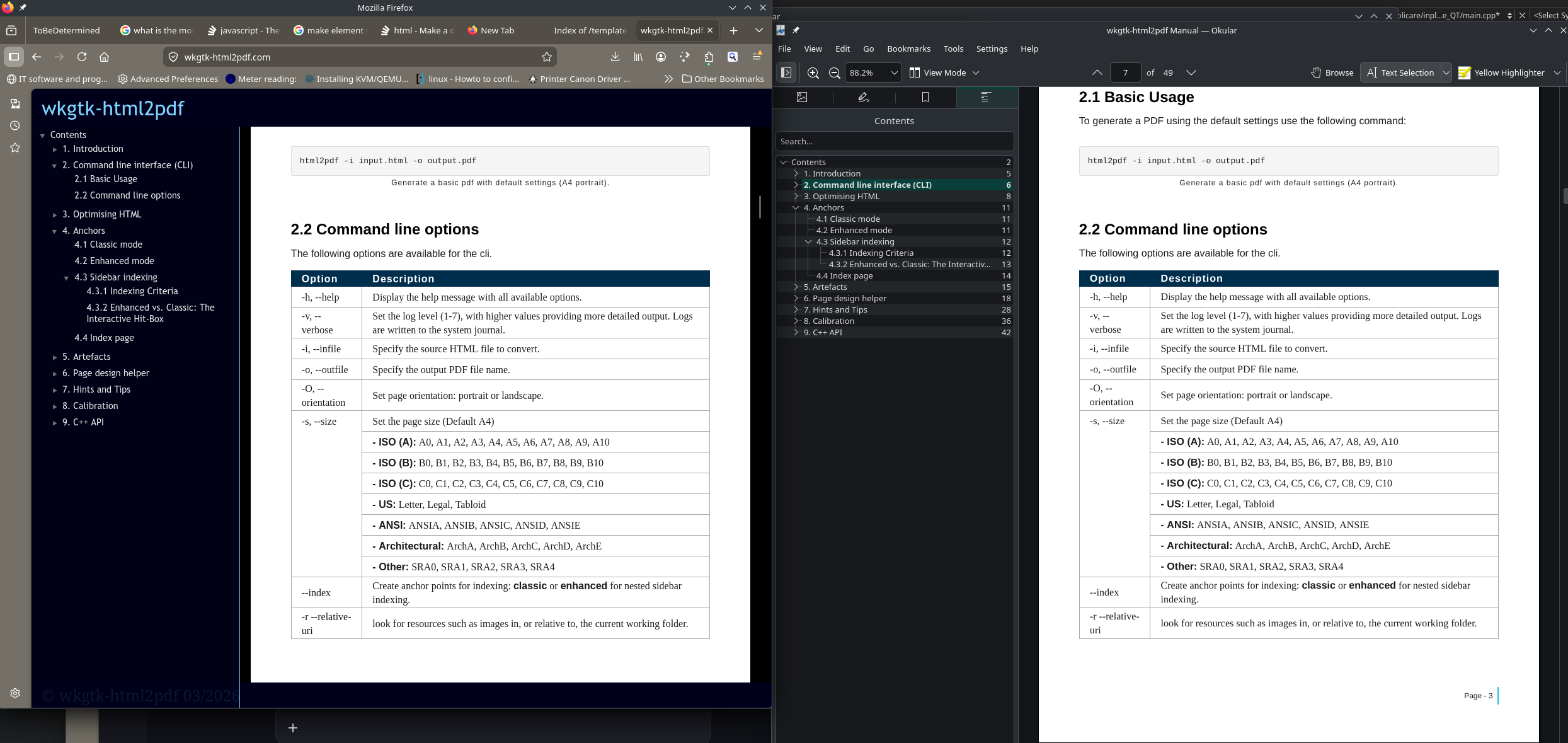
- The Proof - Align the first page of the HTML with the last page of the PDF (at a specific zoom, e.g., 88.2%). Perfect alignment proves zero cumulative drift over hundreds of pages.
- The Result - If the alignment holds, the engine is mathematically perfect. Any future layout issues are guaranteed to be CSS-related, not engine flaws.
- Audit Ready - Includes a downloadable report and side-by-side viewer to demonstrate bit-for-bit consistency to your auditors.
We don't just claim determinism; we provide the tools to prove it.
📱 Print precision, Mobile readability
Serve the exact same file to auditors and field technicians.
- Desktop - Renders as a pixel-perfect, fixed-layout PDF equivalent
- Mobile - Our smart viewer reflows text only (zooming content, not the viewport), ensuring readability without breaking the association between diagrams and captions.
Experience the difference yourself. Open our live manual on desktop and mobile, and compare it against the static PDF. You’ll see identical layout precision on desktop and PDF, while the mobile view offers intelligent text reflow. Pinch to zoom or double-tap to reset to see how we maintain readability without breaking context.
🤝 Engagement Model: Your Workflow, Our Engine
We don’t just sell a black box. We partner with you to integrate deterministic rendering into your bespoke DITA/S1000D pipeline. Give us your parameters; we’ll deliver a certified output engine.
🛡 Transparency
Our core engine is 100% Open Source (MIT License). Inspect the code on GitHub, verify the security, and deploy with confidence. No hidden binaries. No vendor lock-in. Just deterministic PDF generation you can trust.
▶ Get Started
To see deterministic rendering in action (no installation required); download our Starter Kit, a ready-to-use template pre-configured with our precision CSS and linter.
- Download the archive and unpack it
- Edit the index.html or styles.css to test your own content.
- Re-archive the content - Create an archive with your content.
- Start Processing - Click "Upload to Viewer" to begin. Your archive processes on our server while you work—track progress via the bar at the bottom. When ready, a notification will appear; click OK to launch the viewer in a new tab.
It’s the fastest way to prove that your layout will hold up under pressure. Once you’re ready, consult the User Manual for advanced configuration and integration options.
🧑 Learn by Example
The best documentation is the code itself.
-
Inspect the Starter Kit - Don’t just upload the template; open
index.htmlandstyles.cssin your editor. See exactly how the floored pt units and grid layouts are constructed. Tweak a value, re-upload, and watch the linter react in real-time. - Deep Dive Manual - Ready for advanced topics? View the source for the Full Technical Manual (46 pages). It covers the mathematical foundations of our quantization engine, complex SVG handling, and detailed API references for custom integrations.
⚙ Resources
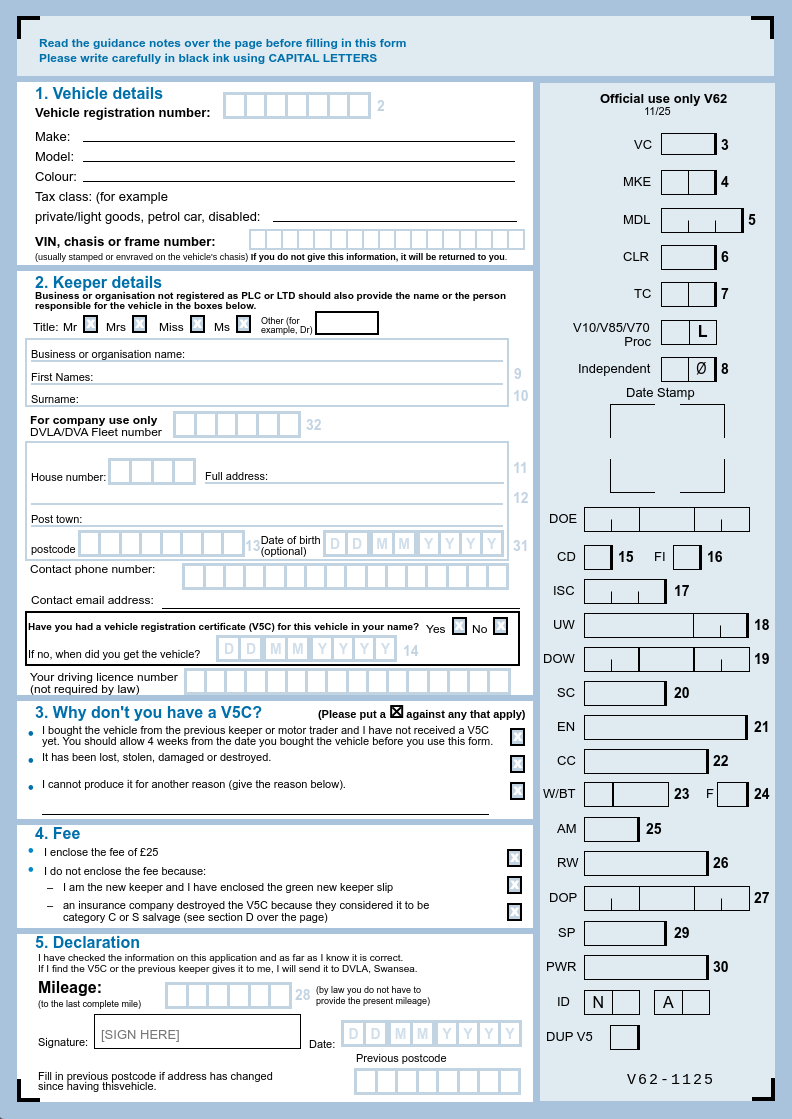
NOTE: 100% client-side. No data is stored or transmitted. Page refresh clears all inputs.